
S56K Editor Released for AKAI S5000 and S6000 Samplers

I’ve released S56K Editor, a free Windows companion for the AKAI S5000 and S6000. The first public preview, version 0.11.1, brings sampler control, USB file transfers and classic Akai library browsing together in one desktop workspace.
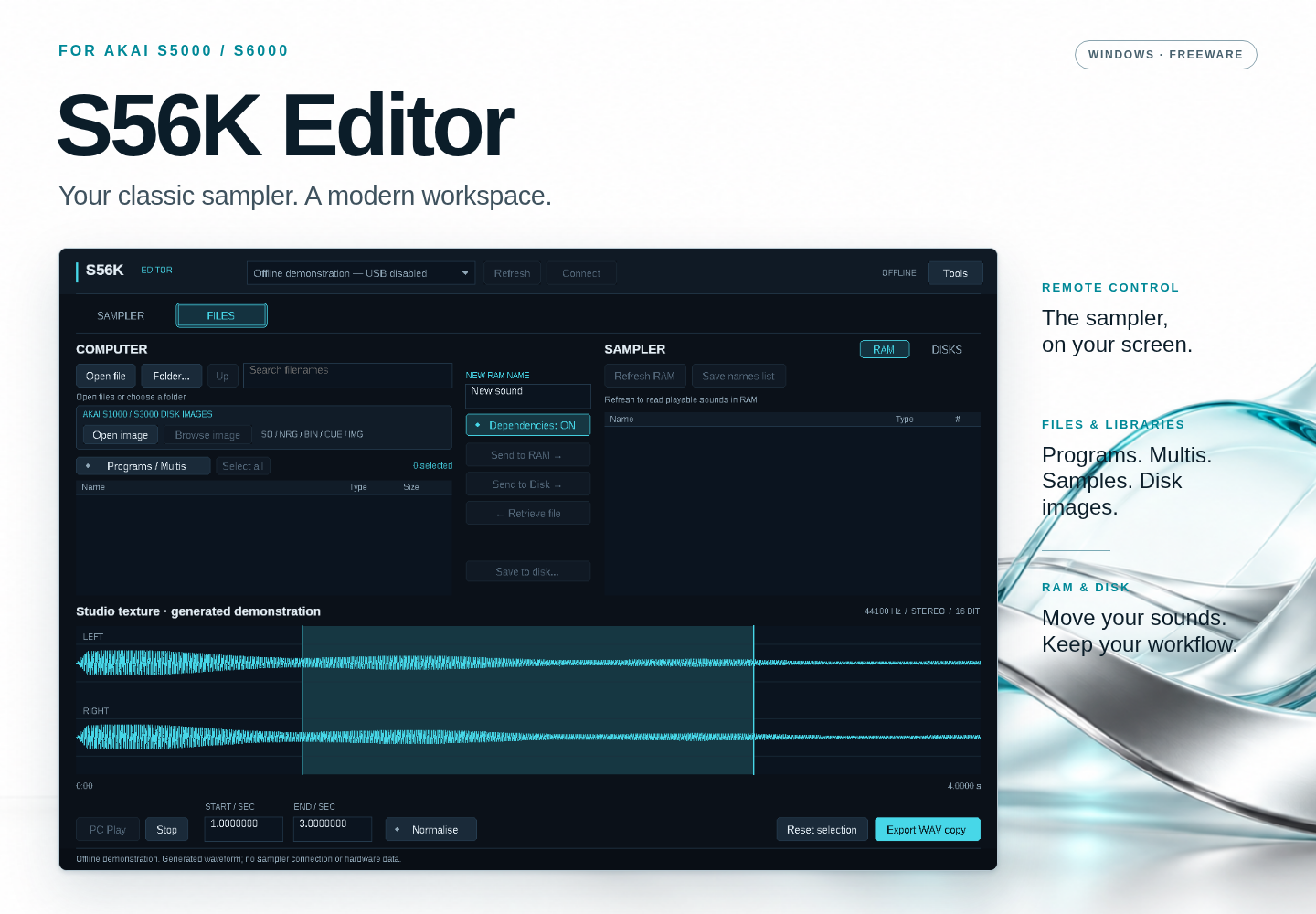
S56K Editor for AKAI S5000 and S6000, with its Files workspace and waveform display.

Your sampler, on your computer

The Sampler page gives you familiar front-panel controls and the instrument’s LCD on your desktop. Click recognised screen options, use keyboard and data controls, and enter text in supported naming dialogs. The display follows changes made on the connected sampler while the Sampler page is active.
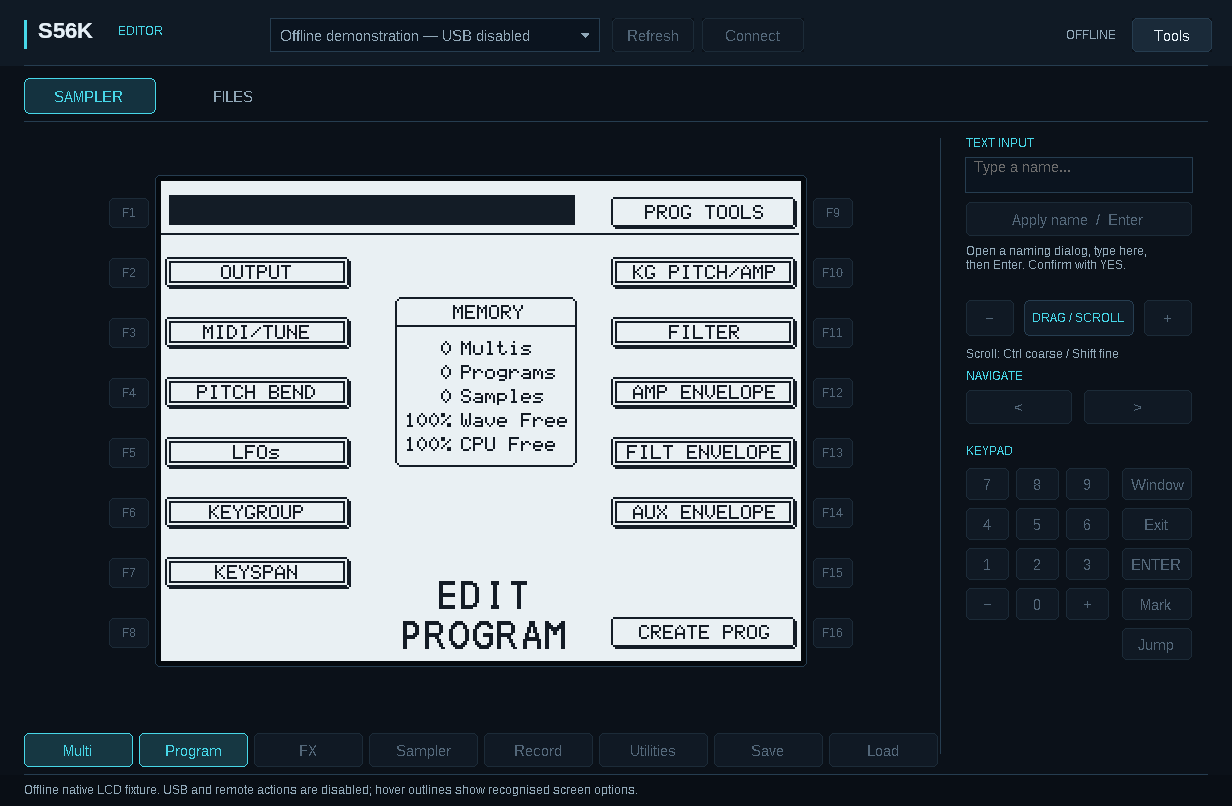
S56K Editor Sampler workspace showing the AKAI Program screen and front-panel controls.
The Sampler workspace, shown in offline preview with a native LCD frame.

Manage samples and explore your library

  • Transfer samples, programs and multis. Send WAV, AKP and AKM files with their dependencies to RAM or writable sampler storage, and retrieve supported files.
  • Keep both sides in view. Browse computer files and sampler disks side by side, with progress for each file and the overall transfer.
  • Explore classic Akai libraries. Browse supported S1000/S3000 disk images in ISO, NRG, BIN, CUE and IMG containers, then prepare instruments for transfer without burning a CD. Compatibility depends on the image’s contents and layout.
  • Inspect your audio. View WAV waveforms, audition audio on the PC, select a range and export a WAV copy. Optional read-back verification provides an extra transfer check.

Getting started

The portable release targets Windows 11 on Intel/AMD x64. Your sampler needs an IB-S56USB card and Microsoft’s WinUSB driver. No ak.Sys installation or sampler firmware update is required.

Download the Windows ZIP, extract the complete package, open START_HERE.html, then run S56K-Editor.exe. The download includes an illustrated offline guide and a 17-page PDF manual. USB setup assistance is available from Tools → USB driver setup.

This is a preview release; please read the release notes for current compatibility and testing limits. Sounds sent to RAM must be saved to disk before switching off the sampler.

Freeware for personal use, professional studios and commercial music production. S56K Editor is independent community software, not an official AKAI product.

Illustrated manual · USB setup guide · Release notes and download details

Infinity AU edition

Unfortunately due to changes Apple has made to their OS and Logic, the AU version of Infinity is currently no longer available until such time as I find a fix for this issue.

The VST3 edition however works normally on Mac and PC.

KORG KRONOS – LA-50

When purchasing the complete bundle of Infinity expansions, your download should have also contained a version of the LA-50 expansion for the KORG KRONOS. This was mistakenly not included, but has now been fixed. Please use the original download link you received to access this additional content.

Infinity MacOS update.

Infinity for the Mac OS has been upgraded to version 3.0.4.
Framework updated, improved compatibility with hosts.

A new version has also been added to the Windows line up with VST3 support.

Infinity – Mac Catalina Update

The Mac version of “Infinity v3” has been updated to resolve issues introduced by Apple in the latest version of Catalina. Please download the latest version of Infinity if you are effected by these issues.

There is no need to re-download any expansions you may have purchased as changes to Infinity v3 for Catalina are only related to the AU and VST3 engine itself.

Migration to Infinity v3 now complete.

All 8 Expansions Libraries are now available for Infinity v3.

In addition to this, an option now exists to save 45% on the entire collection by buying the complete collection as a bundle. See HERE for more information.

Information for existing users of Infinity.
If you have previously purchased an expansion for the older version of Infinity, please upgrade now to the latest version of Infinity v3 for free. A free update also exists for any expansions you purchased. Simply revisit your original download link as it is active and contains a free update of any expansions you purchased.

Progress update…

All expansion libraries for Infinity have been converted to Infinity v3 format and will be released for download tomorrow.

Please check back here tomorrow for release notes and upgrade instructions.

Infinity v3 – Released.

It’s with great pleasure we announce that Infinity v3 has been released as a free download.

Infinity now comes preloaded with factory presets.

Infinity v3

CLICK HERE

“Infinity” (v3.0) is the latest version of Infinity. Our VST/AU that’s can morph in appearance, function and sound based on what sound expansions are current loaded.

Important Note:
If you own an expansion library for Infinity v2, please do not load the v2 expansion into version 3 as all v2 expansions are currently not compatible with Infinity v3. All expansions are currently in the process of being upgraded and will be made available made available for Infinity v3 version shortly.

Please check back here for information on when the expansions have been upgraded. At that point you will be able to use your original download link to access the updated expansion for free.

And yes, it is perfectly ok to install both Infinity v2 and Infinity v3 on your PC/MAC at the same time during this process of transition.